FlowCap for macOS

Record clearly. Share quickly.

FlowCap is a lightweight Mac screen recorder for gameplay clips, product demos, design reviews, and visual bug reports. It lives in the menu bar, starts with screen recording, and saves clear MP4 files without a heavy setup.

Mac App Store release in preparation.

FlowCap app icon
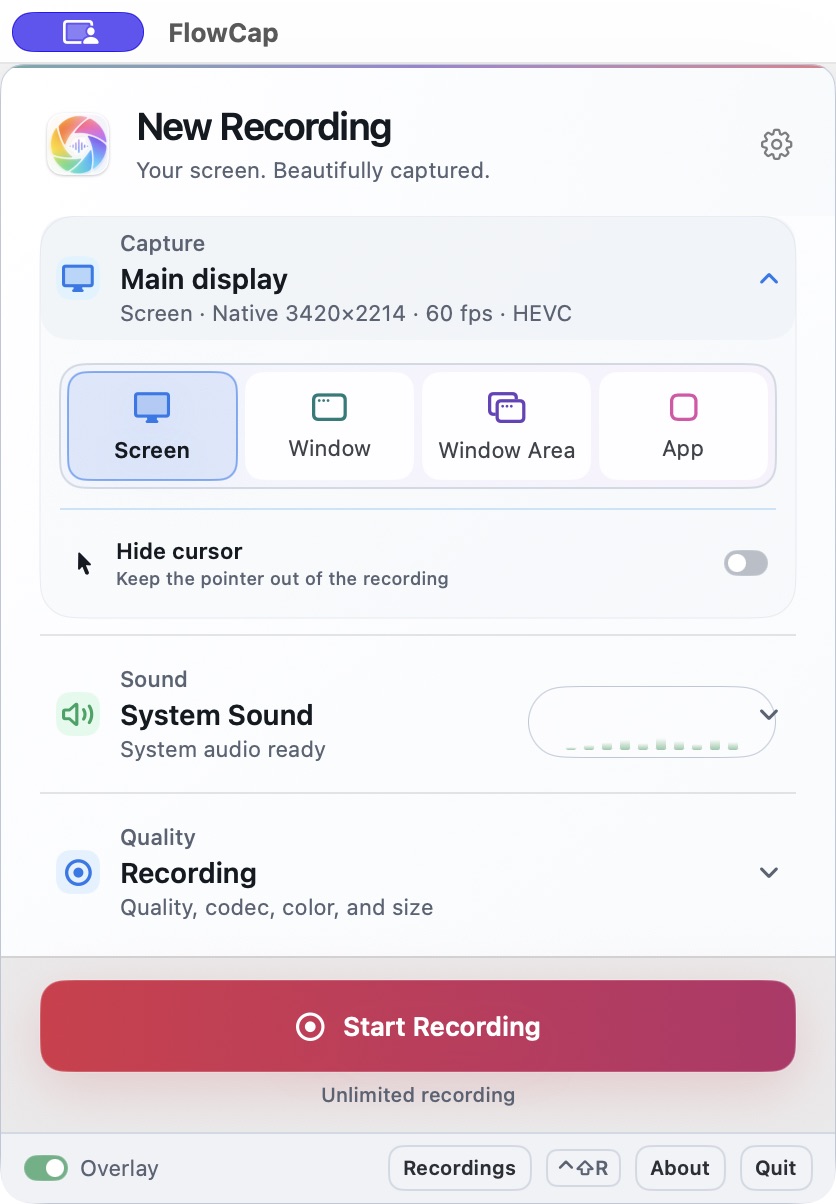
Ready to Record
Screen App Window
HEVC H.264 60 fps
Default: screen recording, True Color, HEVC, 60 fps, system audio.

Built for the clips people actually send.

Most recordings are not studio productions. They are proof, explanation, feedback, or a moment worth saving. FlowCap is tuned for that everyday Mac workflow.

01 Gameplay clips

Keep fast motion, HUD text, minimaps, and dark scenes readable enough to show what happened.

02 Product demos

Record a browser, app window, or full screen walkthrough and get an MP4 ready to send.

03 Design reviews

Capture gradients, dark UI, image edits, and color-sensitive details with True Color recording.

04 Visual bug reports

Show the exact UI state, motion, color shift, or reproduction path, then switch to an app window when a tighter frame is better.

Why it feels lightweight.

FlowCap keeps recording close without turning it into a workspace. Start from shortcuts or the menu bar, then watch recording state from a small overlay while you keep working.

FlowCap lightweight workflow showing shortcut or menu bar recording, live status overlay, and MP4 review
Minimal interaction

No complex recorder workspace to manage. Use shortcuts or the menu bar for quick capture, with only the controls you need close at hand.

Simple defaults

Start with 60 fps, HEVC, True Color, system audio, and recording-oriented settings. Tune details only when the clip needs it.

Informative overlay

See recording time, frame rate, bitrate, and status while you capture, without switching back to a bulky control window.

True Color, smarter compression, easy pro controls.

FlowCap keeps complex video options easy with Share, Recording, and Archive profiles. When a recording needs more control, you can tune color, codec, quality, and audio like a video professional.

True Color capture example for gradients, HUD color, dark UI, and photo detail True Color capture

Designed for gameplay HUDs, design gradients, dark UI, photo edits, and visual bugs where washed-out color weakens the message.

Optimized compression curve showing a useful balance between clarity and file size Optimized compression

HEVC, bitrate targets, and quality profiles are tuned to keep motion and UI details clear without wasting file size on simple scenes.

System audio and microphone recording paths combined into an MP4 System + Mic audio

Record system sound, microphone, or both. Mic permission is requested only when you choose a mic mode.

Share Recording and Archive profiles with codec color audio and quality controls Complex video options made easy

Choose Share, Recording, or Archive for common jobs, then open advanced controls when you want professional-style tuning.

Know what happened after recording.

A recorder should not disappear with your file. FlowCap opens a compact review page so the latest recordings, playback, and Finder handoff are easy to find.

Recent recordings stay nearby.

Open the latest clips without searching through folders first.

Fullscreen preview is built into playback.

Double-click the video or use the fullscreen control in the progress bar.

Show in Finder when it is time to share.

Hand the finished MP4 to Messages, Slack, editing tools, or your normal upload workflow.

Frame Rate60 fps
ResolutionNative
ColorTrue Color
FormatHEVC MP4